
Finish the work
Chapter 17 / 18
Work with a small file
Try three rows first. Then work with a larger file.
Read a command in parts
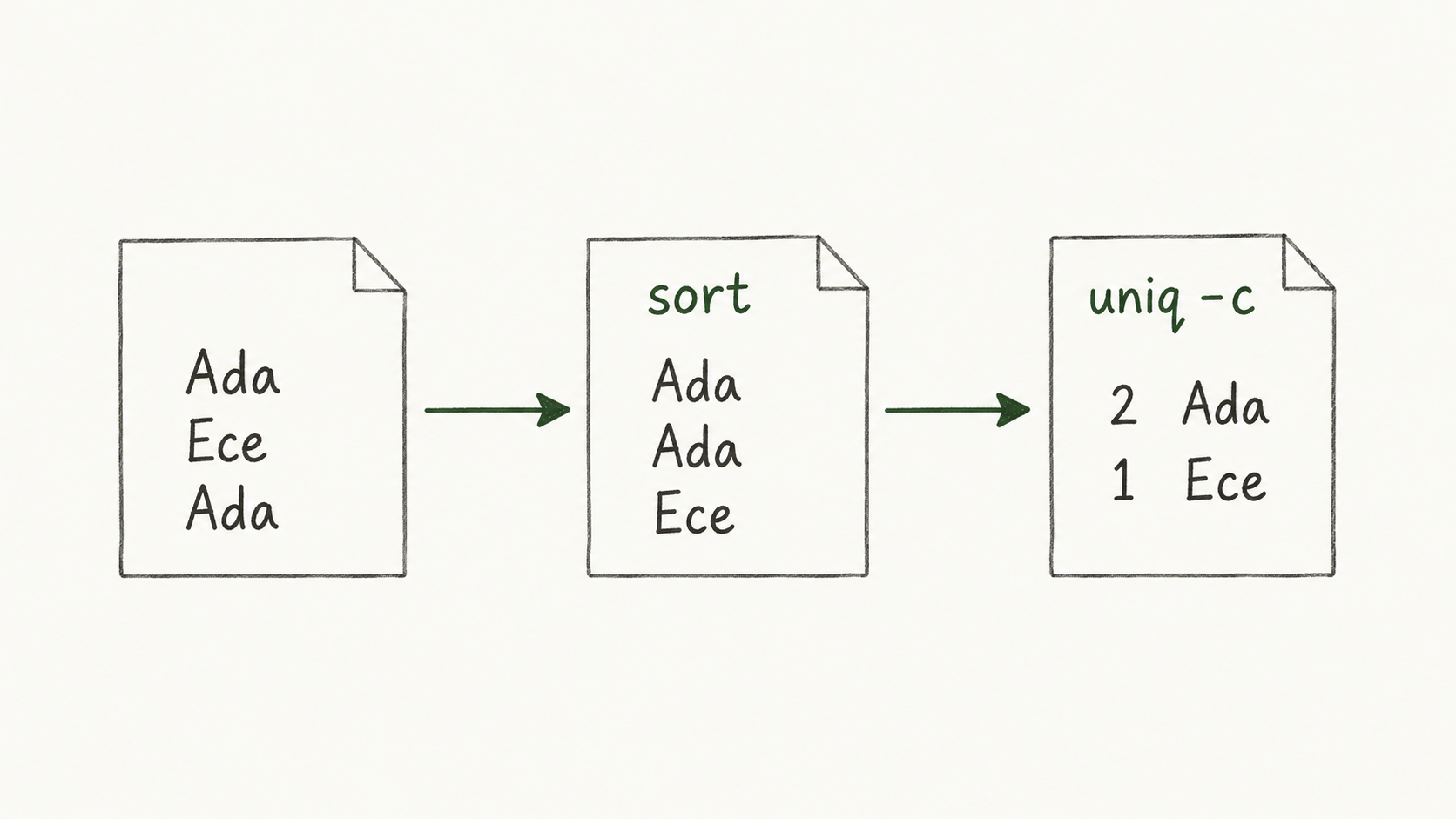
The pipe | sends one command’s output to the next. sort puts equal lines together. uniq -c counts adjacent repeats. wc -l counts newline characters; it does not always count records. Try without writing over the original.
Files and networks differ
jq -r '.items[] | .name' data.json reads each item’s name. dig queries DNS. curl -I sends HTTP HEAD and gets headers; it does not save a full page. These network commands may contact a target. The task below only uses a local file.
Data through a pipe
 Enlarge ↗
Read as text
- Ada · Ece · Ada
- sort: Ada · Ada · Ece
- uniq -c: 2 Ada · 1 Ece
Same terms in both languages
Keep these words
- file
- Examines file type.
- head / tail / less
- Show the start / end / one screen at a time.
- grep / regex
- A text search tool / a matching pattern.
- sort / uniq -c
- Sorts lines / counts adjacent equal lines.
- jq
- Reads and transforms JSON data.
A small example
Let’s do it together
Make a sample file called names.txt on your computer. Its three lines are Ada, Ece, Ada.
Use only sample names. Do not use private data.
Read sort names.txt | uniq -c, then try it on the sample.
Expect 2 for Ada and 1 for Ece. There may be spaces before each count.
names.txt
Ada
Ece
Ada
Command
sort names.txt | uniq -cExpected output
2 Ada
1 Ece
Leading spaces vary by system. This command does not change the input file.
Close the notes. Think first.
Your turn
Without sorting, will uniq -c join the two separated Ada lines?
Read the explanation
No. uniq handles adjacent equal lines. This example needs sort before counting repeats.
Reading record
Only on this browser. These marks are not test results.Sources
I used my study notes and wrote new practice examples. The source PDF is not distributed here.
About the sources and rights